Introduction
A home feels different when the lights, locks, thermostat, cameras, and speakers work together without stress. That is the real promise of smart home installation: comfort, safety, and control without making daily life harder.
Many people start with one device, then slowly add more. A smart bulb becomes a smart thermostat. A video doorbell becomes a full security setup. Before long, the home needs a clear plan, not random gadgets.
The good news is that you do not need to be a tech expert. With the right layout, network, device choices, and safety checks, a connected home can feel simple, useful, and reliable.
What Is Smart Home Installation?
Smart home installation is the process of setting up connected devices so they can be controlled through apps, voice assistants, schedules, sensors, or automation rules.
This may include:
- Smart lights
- Smart plugs
- Smart thermostats
- Video doorbells
- Security cameras
- Smart locks
- Motion sensors
- Smart speakers
- Garage door controllers
- Leak detectors
- Smart appliances
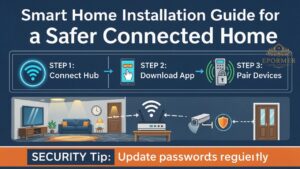
A basic setup may only need Wi-Fi and a mobile app. A larger setup may need a hub, Thread border router, Zigbee hub, Z-Wave controller, or Matter-compatible ecosystem.
Why Smart Homes Are Becoming Popular
People want homes that save time, improve safety, and feel easier to manage. For example, a parent can check the front door from work. A homeowner can turn off lights from bed. Someone traveling can make the house look occupied.
Smart thermostats are also popular because they can help reduce heating and cooling waste. ENERGY STAR says certified smart thermostats save about 8% on heating and cooling bills on average.
Another reason is device compatibility. Matter, developed by the Connectivity Standards Alliance, is designed to help smart devices work across different ecosystems more easily.
How Smart Home Installation Works
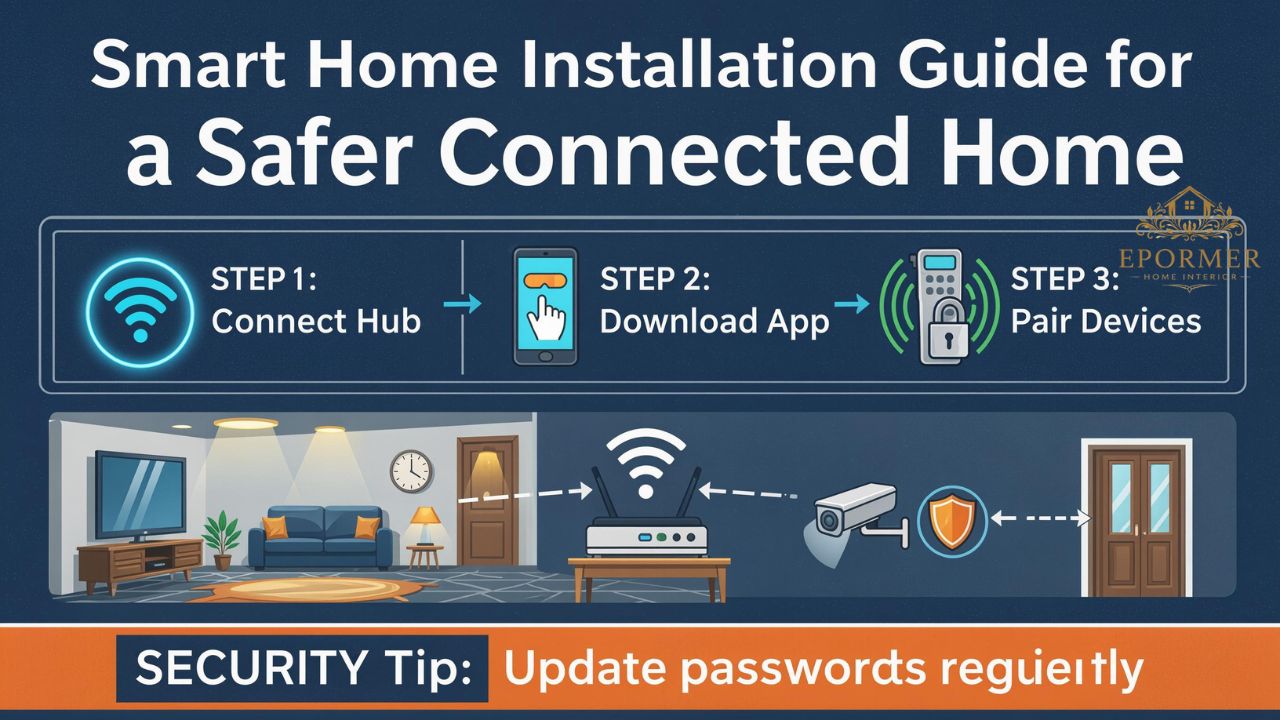
A successful smart home installation usually follows a clear process.
1. Choose Your Main Ecosystem
Most homes use one main control system, such as:
| Ecosystem | Best For |
|---|---|
| Amazon Alexa | Voice control and wide device support |
| Google Home | Android users and Google services |
| Apple Home | iPhone users and privacy-focused setups |
| Samsung SmartThings | Mixed devices and automation |
| Do not buy random devices before choosing your ecosystem. Compatibility matters. |
2. Check Your Wi-Fi Strength
Weak Wi-Fi is one of the biggest reasons smart devices fail. Cameras, doorbells, speakers, and hubs all depend on a stable network.
Before installing devices, check:
- Router location
- Wi-Fi coverage in every room
- Outdoor signal near doorbells and cameras
- Internet speed
- Number of connected devices
For larger homes, mesh Wi-Fi may work better than a single router.
3. Install Devices by Priority
Start with the devices that solve real problems first. For example, install a video doorbell if package theft is a concern. Install smart lighting if you want convenience. Install a thermostat if energy savings matter.
4. Create Automations
Automation is where the setup becomes truly useful.
Examples:
- Lights turn on at sunset.
- Thermostat lowers temperature when nobody is home.
- Door locks automatically at night.
- Motion sensor turns on hallway lights.
- Leak detector sends alerts if water is detected.
Best Devices to Install First
Smart Lighting
Smart lights are beginner-friendly. They make rooms feel modern and comfortable.
Good uses include:
- Bedroom dimming
- Motion-based hallway lighting
- Outdoor schedule lighting
- Vacation mode
- Voice-controlled scenes
Smart Thermostat
A smart thermostat can adjust heating and cooling based on schedules, occupancy, and usage patterns. ENERGY STAR-certified models are tested using real field data for energy savings.
Video Doorbell
A video doorbell adds peace of mind. You can see visitors, delivery drivers, or unexpected movement near the door.
Smart Locks
Smart locks are useful for families, rentals, and busy homeowners. You can create temporary access codes and check lock status from your phone.
Smart Security Cameras
Cameras help monitor entrances, garages, side yards, and indoor areas. Choose cameras with clear video, night vision, storage options, and privacy controls.
Smart Plugs
Smart plugs are affordable and simple. They work well for lamps, fans, coffee makers, and seasonal lights.
Smart Home Installation Planning Checklist
Before buying devices, use this checklist:
| Step | What to Check |
|---|---|
| Goal | Security, comfort, energy savings, convenience, or all |
| Ecosystem | Alexa, Google Home, Apple Home, or SmartThings |
| Wi-Fi | Strong signal in all device locations |
| Compatibility | Works with your phone, app, hub, or Matter |
| Power source | Battery, wired, plug-in, or hardwired |
| Placement | Safe, useful, and reachable |
| Privacy | Camera angles, data settings, account security |
| Budget | Device cost, installation cost, subscriptions |
| Expansion | Can the setup grow later? |
DIY vs Professional Installation
DIY Smart Home Installation
DIY works well for simple devices such as bulbs, plugs, speakers, sensors, and some cameras.
DIY is best when:
- You enjoy setup work
- Devices are plug-and-play
- Wiring is not needed
- The home is small
- The budget is limited
Professional Smart Home Installation
Professional help is better for complex systems, hardwired cameras, smart panels, advanced security, whole-home audio, or large automation setups.
Professional installation is best when:
- You need electrical work
- You want hidden wiring
- You have many devices
- You want one clean system
- You need reliable security coverage
Parks Associates reported that 52% of DIY smart home users had setup or connectivity issues, which shows why planning and proper installation matter.
Smart Home Installation Cost Factors
The total cost depends on device type, home size, wiring, brand, and whether you hire an installer.
| Setup Type | Typical Devices | Cost Level |
|---|---|---|
| Basic | Smart bulbs, plugs, speaker | Low |
| Security-focused | Doorbell, cameras, locks, sensors | Medium |
| Energy-focused | Thermostat, sensors, lighting | Medium |
| Whole-home setup | Lighting, security, climate, audio, hub | High |
| Costs can also increase because of: |
- Subscription storage for cameras
- Extra hubs or bridges
- Mesh Wi-Fi system
- Electrician charges
- Wall mounting
- Outdoor wiring
- Premium brands
Common Smart Home Installation Mistakes
Buying Devices Without a Plan
This is the most common mistake. People buy gadgets because they look exciting, then discover they do not work together.
Ignoring Wi-Fi Coverage
A smart camera with weak Wi-Fi becomes frustrating fast. Test your signal before mounting devices.
Using Too Many Apps
Try to keep control under one main app. Too many apps make the home harder to manage.
Forgetting About Privacy
Indoor cameras, microphones, and cloud storage need careful settings. Do not place cameras in private areas.
Skipping Updates
Device updates often fix bugs and security issues. Keep apps, hubs, and firmware updated.
Security and Privacy Tips
A connected home should feel safe, not exposed.
Use these steps:
- Use strong, unique passwords.
- Enable two-factor authentication.
- Keep router firmware updated.
- Rename default device names.
- Review camera sharing settings.
- Disable unused features.
- Use a guest network for visitors.
- Remove old devices from your account.
- Buy from trusted brands.
- Check app permissions regularly.
For cameras, avoid pointing them at neighbors’ windows, private family spaces, or public areas where recording may create legal or privacy issues.
Smart Home Installation for Different Homes
Apartments
Apartments usually need renter-friendly devices.
Good choices:
- Smart plugs
- Smart bulbs
- Battery cameras
- Video doorbells with no-drill mounts
- Smart speakers
Avoid permanent wiring unless allowed.
Family Homes
Family homes benefit from safety and convenience.
Good choices:
- Door sensors
- Smart locks
- Outdoor cameras
- Thermostat
- Motion lighting
- Leak detectors
Older Homes
Older homes may have wiring limits. Some smart switches need a neutral wire, which older houses may not have.
Check wiring before buying switches.
Large Homes
Large homes often need mesh Wi-Fi, multiple access points, or a hub-based system for stable coverage.
Infographic: Smart Home Installation Flow
![Infographic: Smart Home Installation Flow — Plan Goals → Check Wi-Fi → Choose Ecosystem → Buy Compatible Devices → Install Core Devices → Create Automations → Secure Accounts → Maintain System]
Best Rooms to Start With
Living Room
Start with smart lighting, voice control, TV integration, and plugs.
Front Door
Install a video doorbell, smart lock, and entry light automation.
Bedroom
Use dimmable lighting, voice control, and sleep-friendly thermostat schedules.
Kitchen
Smart plugs, leak detectors, smoke alerts, and voice timers work well here.
Garage
Garage door controllers, cameras, and motion lights add convenience and security.
Smart Home Installation and Matter Compatibility
Matter is becoming more important because it aims to reduce compatibility problems between brands. It is IP-based and built to support reliable, secure connected home ecosystems.
For homeowners, this means future device shopping may become easier. Still, not every device supports Matter, and some categories may need brand apps or hubs. Always check the product label before buying.
Maintenance After Installation
A smart home is not “set and forget.” It needs light maintenance.
Every month:
- Check battery levels.
- Test cameras and sensors.
- Review automation rules.
- Update apps.
- Check device names.
Every few months: - Review account access.
- Remove unused devices.
- Test emergency alerts.
- Check Wi-Fi performance.
- Clean camera lenses and sensors.
Good maintenance keeps your system reliable and avoids annoying failures.
FAQs
What is smart home installation?
Smart home installation means setting up connected devices like lights, locks, cameras, thermostats, speakers, and sensors so they work through apps, voice control, or automation.
Is smart home installation expensive?
It can be affordable or costly depending on your setup. A few smart plugs and bulbs are low-cost. A full home system with cameras, locks, thermostats, and wiring costs much more.
Can I install smart home devices myself?
Yes, many devices are DIY-friendly. Smart bulbs, plugs, speakers, and basic sensors are simple. Hardwired cameras, smart switches, and security systems may need professional help.
What should I install first in a smart home?
Start with the device that solves your biggest problem. For safety, choose a video doorbell or smart lock. For comfort, choose smart lighting. For energy savings, choose a smart thermostat.
Do smart home devices need Wi-Fi?
Many devices need Wi-Fi, but not all. Some use Thread, Zigbee, Z-Wave, Bluetooth, or a hub. Wi-Fi strength is still important for most modern homes.
Is a hub required for smart home installation?
Not always. Many devices connect directly to Wi-Fi. However, a hub may improve reliability for larger setups or devices using Zigbee, Z-Wave, or Thread.
Are smart homes safe from hacking?
They can be safe if you use strong passwords, two-factor authentication, updates, trusted brands, and secure Wi-Fi. Poor setup can create privacy risks.
Does smart home installation increase home value?
It may improve appeal, especially when devices add security, energy savings, or convenience. Buyers often like smart thermostats, locks, doorbells, and lighting.
What is the best smart home ecosystem?
The best ecosystem depends on your devices and phone. Apple Home suits iPhone users. Google Home works well for Android users. Alexa has wide support. SmartThings works well for mixed setups.
How long does setup take?
A basic setup may take under an hour. A full home setup with cameras, locks, lighting, thermostat, and automation may take several hours or require a professional installer.
Conclusion
A smart home should make life easier, not more complicated. The best setup starts with clear goals, strong Wi-Fi, compatible devices, and safe account settings.
When planned well, smart home installation can improve comfort, security, energy control, and everyday convenience. Start small, choose devices carefully, and build a system that fits your real routine.